













Roo Casino: Sign In, 2FA and Account Recovery
How to Log In to Your Roo Casino Account
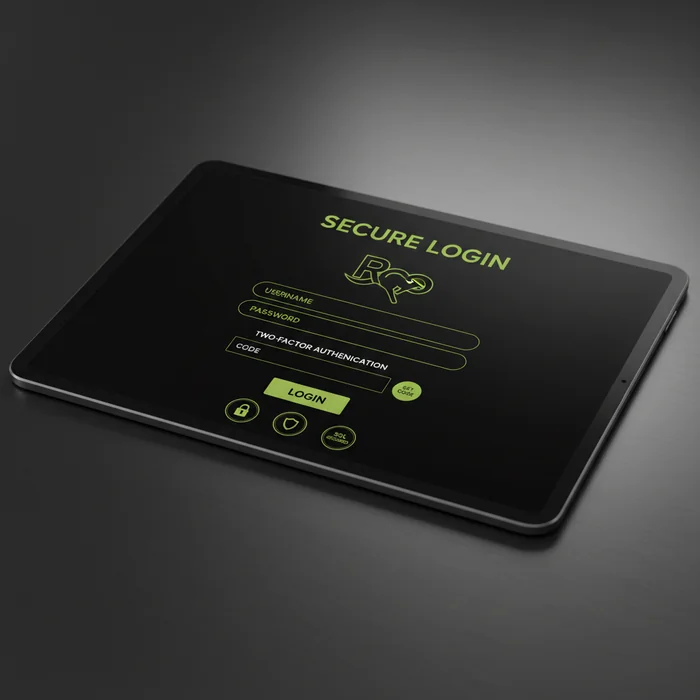
The Roo Casino login process is built around one principle: get you inside your account quickly, without compromising the security layers that protect your funds and personal data. Whether you're returning after a long session or jumping back in for a daily promotion, the sign-in flow is consistent across desktop and mobile — no redirects, no unnecessary friction.
Once you're logged in, you have full access to our pokies library, live dealer tables, sports betting markets, and the Wheel of Luck. Your VIP tier status, loyalty points balance, and any active bonus offers — including our three-deposit welcome package worth up to €4,000 plus 200 free spins — are all visible from your dashboard immediately after authentication.
Finding the Login Button and Entering Your Credentials
Navigate to roocasinos-aus.com and locate the Log In button in the top-right corner of the header. It's present on every page of the site — you never need to hunt for it. Click it and a secure overlay will appear, keeping you on the same page rather than redirecting you to a separate URL.
Enter the email address you registered with, followed by your password. Passwords on our platform are case-sensitive and must meet a minimum complexity standard set during registration. If you're using a password manager, it will autofill both fields correctly — we've confirmed compatibility with 1Password, Bitwarden, and Chrome's native manager.
Staying Logged In Safely on Desktop and Mobile Browsers
We offer a Remember Me option on the login form. When enabled, a secure session token is stored in your browser's local storage, keeping you logged in for up to 30 days of inactivity. This is convenient on a personal device — but we strongly recommend against using it on shared computers, library terminals, or workplace machines.
On mobile browsers, the experience mirrors desktop exactly. Safari on iOS and Chrome on Android both handle our session management correctly. If your browser blocks third-party cookies, you may need to adjust settings — but first-party session cookies, which are all we use for authentication, should remain unaffected in standard configurations.
Forgot Your Password? Account Recovery Steps Explained
Losing access to your password is one of the most common reasons players contact support — and it's entirely recoverable without losing your account history, balance, or VIP status. The reset process is automated and typically resolves the issue within minutes. Here's exactly how it works.
Using the Password Reset Link Sent to Your Email
On the login page, click Forgot Password beneath the password field. Enter the email address associated with your Roo Casino account and submit the form. Our system will dispatch a reset link to that address — delivery typically takes under 2 minutes, though some email providers may add a short delay.
- Check your inbox for an email from our official domain. The subject line will reference your account reset request.
- Click the reset link inside the email. This link is valid for 60 minutes — after that, you'll need to request a new one.
- Create a new password that meets our complexity requirements: minimum 8 characters, at least one uppercase letter, one number, and one special character.
- Log in immediately using your new credentials. All previous sessions will be invalidated automatically as a security measure.
If the reset email doesn't arrive within 5 minutes, check your spam or junk folder first — automated emails from gambling platforms are occasionally filtered. If it's not there either, verify that you're searching the correct inbox (some players have multiple email accounts). Still nothing? Contact our support team directly with your registered email and username — we can verify your identity through alternative means.
Troubleshooting Common Roo Casino Login Problems
Most login failures fall into a small number of identifiable categories. Rather than generic advice, here's a structured breakdown of what's actually happening when the Roo Casino sign-in process fails — and the specific fix for each scenario.
Locked Account, Incorrect Password, and Browser Cache Issues
After 5 consecutive failed login attempts, your account enters a temporary lockout state lasting 15 minutes. This is a standard brute-force protection measure — above industry average in terms of strictness, but it means a single typo session won't lock you out permanently. The lockout resets automatically; you don't need to contact support unless the problem persists beyond the cooldown window.
Browser cache is a less obvious culprit. If your browser has cached an outdated version of our login page, the form may behave unexpectedly — failing to submit, showing stale error messages, or not recognising valid credentials. Fix this by clearing your cache and cookies for our domain specifically (you don't need to wipe your entire browser history). In Chrome: Settings → Privacy → Clear browsing data → select "Cached images and files" and "Cookies" for roocasinos-aus.com only.
Incorrect password errors are sometimes caused by a capital lock being active, or by a password manager autofilling credentials from an outdated saved entry. Before requesting a reset, try typing your password manually. If you've recently changed your Roo Casino password, ensure your password manager has saved the updated version — conflicting saved entries are a frequent source of confusion.
| Login Method | Availability | Security Level |
|---|---|---|
| Email + Password | Desktop & Mobile Browser | Standard (TLS 1.3 encrypted) |
| Remember Me (session token) | Desktop & Mobile Browser | Moderate — personal devices only |
| Mobile Browser (Safari/Chrome) | iOS & Android | Standard (same as desktop) |
| Biometric (via mobile browser autofill) | Supported on compatible devices | High — device-level authentication |
| Two-Factor Authentication | Optional — all platforms | High — time-based one-time codes |
Contacting Support When You Cannot Access Your Account
If none of the self-service steps resolve your issue, our support team handles account access cases around the clock. When you reach out, provide your registered email address, your approximate registration date, and the last deposit method you used — this combination allows us to verify your identity without requiring you to be logged in. Typical resolution time for access issues is under 4 hours during peak periods, and often faster overnight.
For account suspension cases — which occur due to incomplete KYC documentation, extended inactivity beyond 12 months, or a confirmed terms violation — the appeal process runs through the same support channel. We review each case individually. Suspensions triggered by missing KYC documents are typically resolved within 24–48 hours once the required documents are submitted. Suspensions for terms violations follow a more detailed review process, and we'll communicate the outcome and any conditions clearly.
Two-Factor Authentication and Keeping Your Account Secure
Account security at Roo Casino Online Casino goes beyond a strong password. The threat landscape for online gambling accounts includes credential stuffing attacks, phishing attempts, and session hijacking — all of which our security infrastructure is built to counter. Here's what we've implemented, and what you can do on your end.
Setting Up Additional Security Layers on Your Profile
Two-factor authentication (2FA) is available on all accounts and uses time-based one-time passwords (TOTP) compatible with authenticator apps including Google Authenticator and Authy. Once enabled, every login from an unrecognised device will require a 6-digit code that refreshes every 30 seconds. This single measure blocks the vast majority of unauthorised access attempts, even when a password has been compromised elsewhere.
To enable 2FA, navigate to your account security settings after logging in. Scan the QR code with your authenticator app, enter the first generated code to confirm the pairing, and save your backup recovery codes in a secure location — these are the only way to regain access if you lose your 2FA device. We display these codes once; they cannot be retrieved later.
Beyond 2FA, we recommend using a unique password for your Casino Roo account — one not shared with any other service. Password reuse is the primary reason accounts get compromised through data breaches at unrelated platforms. A password manager makes this practical without requiring you to memorise dozens of credentials.
What to Do If You Suspect Unauthorized Account Access
If you notice unfamiliar login activity, a balance discrepancy, or a withdrawal request you didn't initiate, act immediately: change your password, disable any active sessions through your account settings, and contact our support team. We can freeze withdrawal processing on your account within minutes of a confirmed report — before any funds leave the platform.
We log every login event with timestamp, IP address, and device fingerprint. If you suspect unauthorised access, our security team can pull this log for your account and identify exactly when and where the intrusion occurred. This data is also useful if you need to file a report with your local consumer protection authority. Responsible gambling tools — including self-exclusion and deposit limits — remain accessible even during a security review, so your ability to set boundaries on your account is never interrupted.
For new players who haven't yet created an account, register with Roo here — the sign-up process includes security setup from the first step, so you're protected before you ever make a deposit. For everyone else: your account is ready when you are. Log in to Roo Casino and pick up exactly where you left off.
Frequently Asked Questions
How do I log in to my Roo Casino account?
To log in to your Roo Casino account at roocasinos-aus.com, click the login button in the top right corner of the homepage and enter the email address and password you registered with. Once logged in, you'll have full access to pokies, live dealer games, sports betting, daily promotions, and the Wheel of Luck feature. If you have an active welcome bonus, your account balance and bonus progress will be visible immediately after signing in.
What should I do if I forgot my Roo Casino password?
If you've forgotten your password, click the "Forgot Password" link on the Roo Casino login page and enter the email address associated with your account. A password reset link will be sent to your inbox, and you should receive it within a few minutes — check your spam folder if it doesn't appear promptly. Once you've reset your password, you can log back in and continue enjoying your loyalty points, daily rewards, and any active promotions tied to your five-tier VIP account.
Why is my Roo Casino account locked and how do I get back in?
Your Roo Casino account may be temporarily locked after multiple failed login attempts as a security measure to protect your funds and personal information. To regain access, use the password reset option on the login page or contact Roo Casino's customer support team directly for manual account verification. Once your identity is confirmed, your account will be restored along with your full balance, VIP status, and any pending bonus progress under the 35x wagering requirement.
Does Roo Casino offer two-factor authentication for account login?
Roo Casino provides security features to help protect your account during the login process, and you can check the security settings section of your account dashboard to see available two-factor authentication options. Enabling additional verification adds an extra layer of protection, which is especially important given that your account may hold bonus funds from the welcome offer of up to €4000 plus 200 free spins across your first three deposits. If you have trouble locating or activating these settings, the customer support team can guide you through the process.
Can I stay logged in to Roo Casino on my mobile device?
Roo Casino's website at roocasinos-aus.com is fully optimised for mobile browsers, and most devices allow you to save your login credentials for faster access on return visits. Staying logged in means you can quickly check daily free spins, access the Wheel of Luck, and monitor your loyalty points without re-entering your details each time. For security purposes, it's recommended to avoid saving login details on shared or public devices, and always ensure you log out after sessions on non-personal hardware.